Table of Contents

Medtronic

Improving the UX of a modular surgical robotics platform

Interface design for the Hugo™ surgical robot

Medtronic

Improving the UX of a modular surgical robotics platform

Interface design for the Hugo™ surgical robot

Medtronic

Improving the UX of a modular surgical robotics platform

Interface design for the Hugo™ surgical robot

Overview

During my time at Medtronic, I generated and refined multiple rounds of concepts for GUI features for Medtronic's Hugo™ RAS (Robotic-Assisted Surgery) system, created user flows for all system display screens, developed graphics for user-facing documentation and training, created ISO-compliant system iconography, and developed interactive prototypes of GUI features for usability testing.
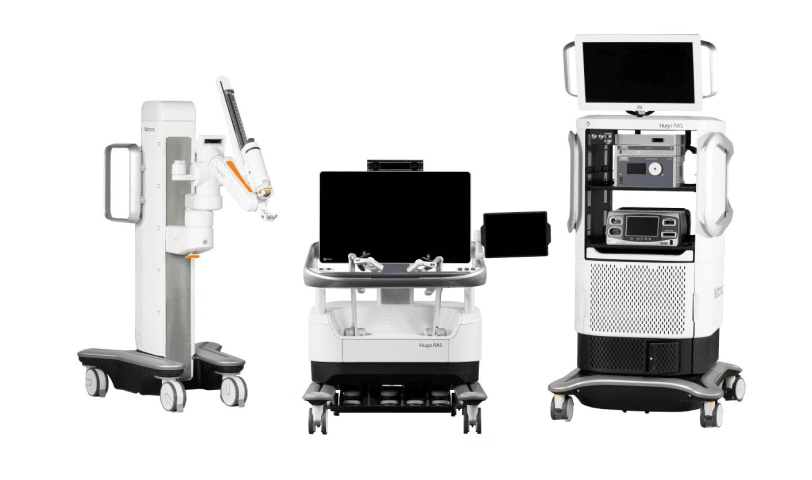
Hugo™ RAS (Robotic-Assisted-Surgery) system components: arm cart, surgeon console and interactive display, RAS tower

Hugo™ RAS (Robotic-Assisted-Surgery) system components: arm cart, surgeon console and interactive display, RAS tower

Hugo™ RAS (Robotic-Assisted-Surgery) system components: arm cart, surgeon console and interactive display, RAS tower

My Role

  • Generated and refined multiple rounds of concepts for GUI features for multiple-display RAS system

  • Created user flows for all system display screens in Illustrator

  • Developed and iterated graphics for user-facing documentation and training

  • Developed and iterated system iconography in accordance with ISO standards

  • Developed interactive prototypes of GUI features for use in usability testing.

Setup Guides

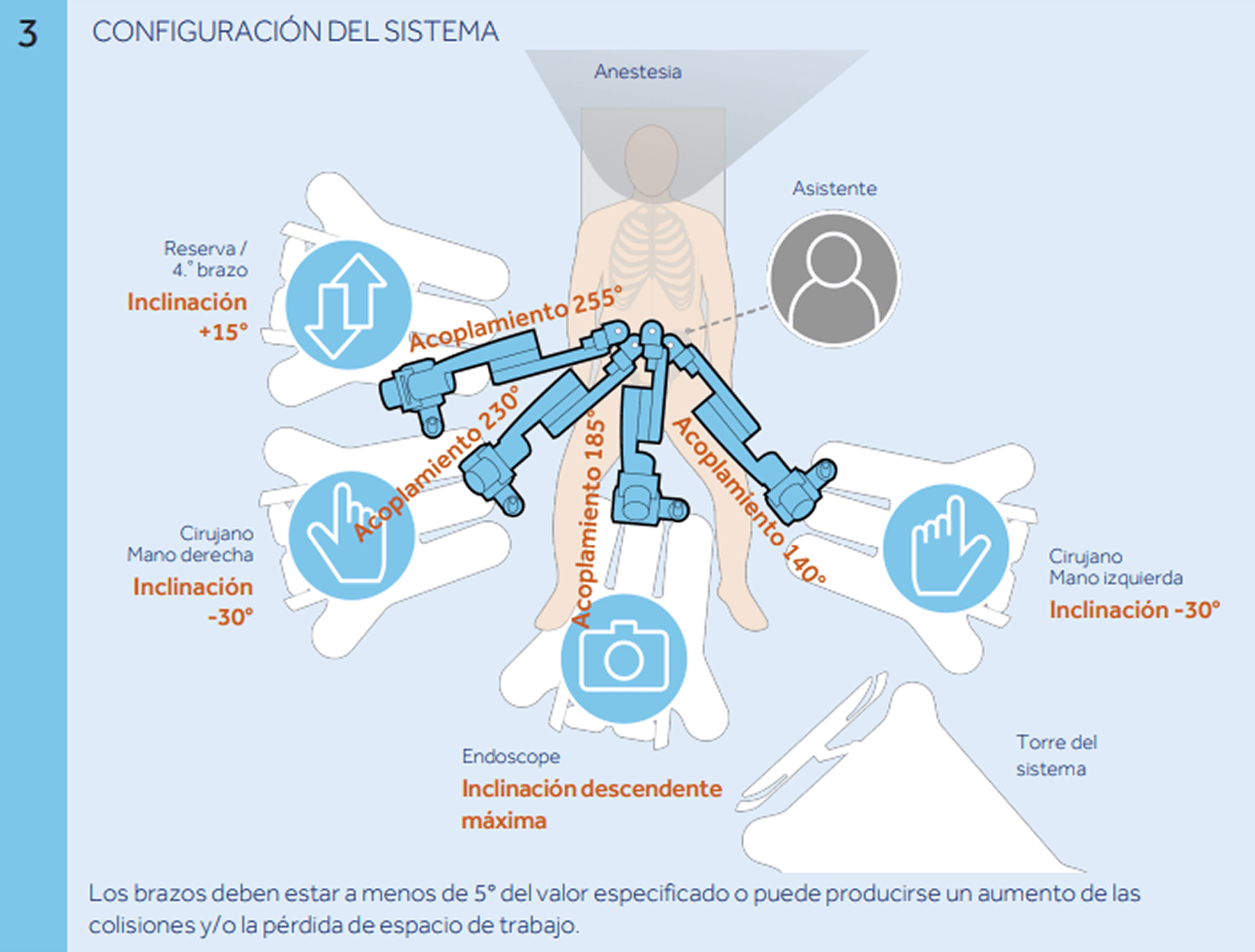
Created several setup guide graphics to assist clinicians in understanding how to configure the surgical robot. Below is an example of the types of graphics I helped create (I did not create this specific example from the Spanish language setup guide).

Hugo™ RAS Tower

Improved UX of multiple aspects of the RAS tower UI, shown below.

Bed Map

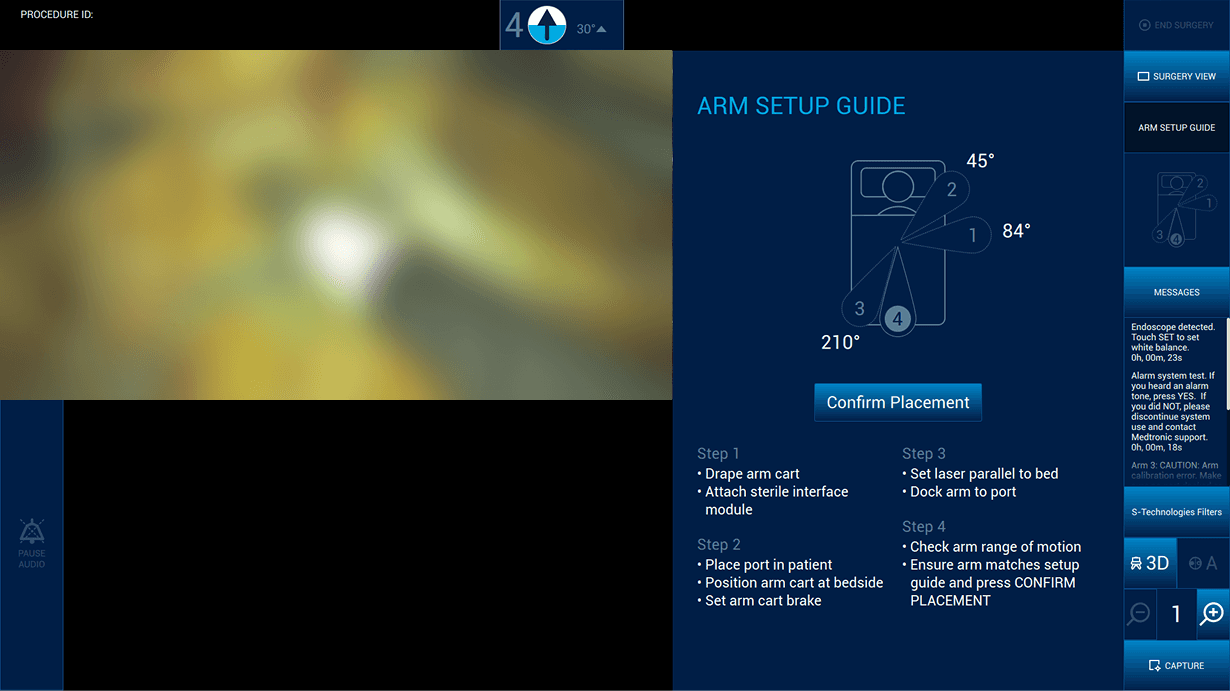
Ability to view a minimized bed map (right column, above "Messages") without opening up large arm setup guide tab, as shown.

Bed Map

Ability to view a minimized bed map (right column, above "Messages") without opening up large arm setup guide tab, as shown.

Bed Map

Ability to view a minimized bed map (right column, above "Messages") without opening up large arm setup guide tab, as shown.

Arm Setup Guide

Information architecture

Arm Setup Guide

Information architecture

Arm Setup Guide

Information architecture

Messages

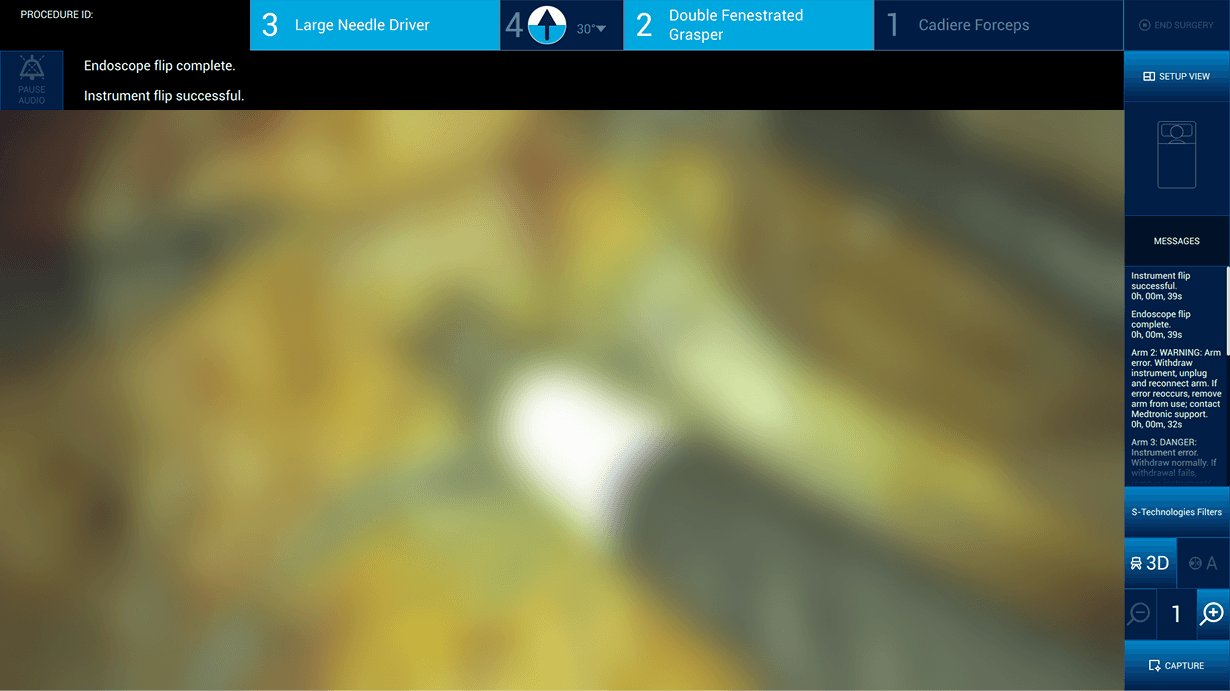
Bedside assistants can scroll through system messages from the RAS Tower without opening up a large Messages tab

Messages

Bedside assistants can scroll through system messages from the RAS Tower without opening up a large Messages tab

Messages

Bedside assistants can scroll through system messages from the RAS Tower without opening up a large Messages tab

S-Technologies Filters

Ability to change endoscope filters from the RAS Tower (instead of just the Surgeon Console)

S-Technologies Filters

Ability to change endoscope filters from the RAS Tower (instead of just the Surgeon Console)

S-Technologies Filters

Ability to change endoscope filters from the RAS Tower (instead of just the Surgeon Console)

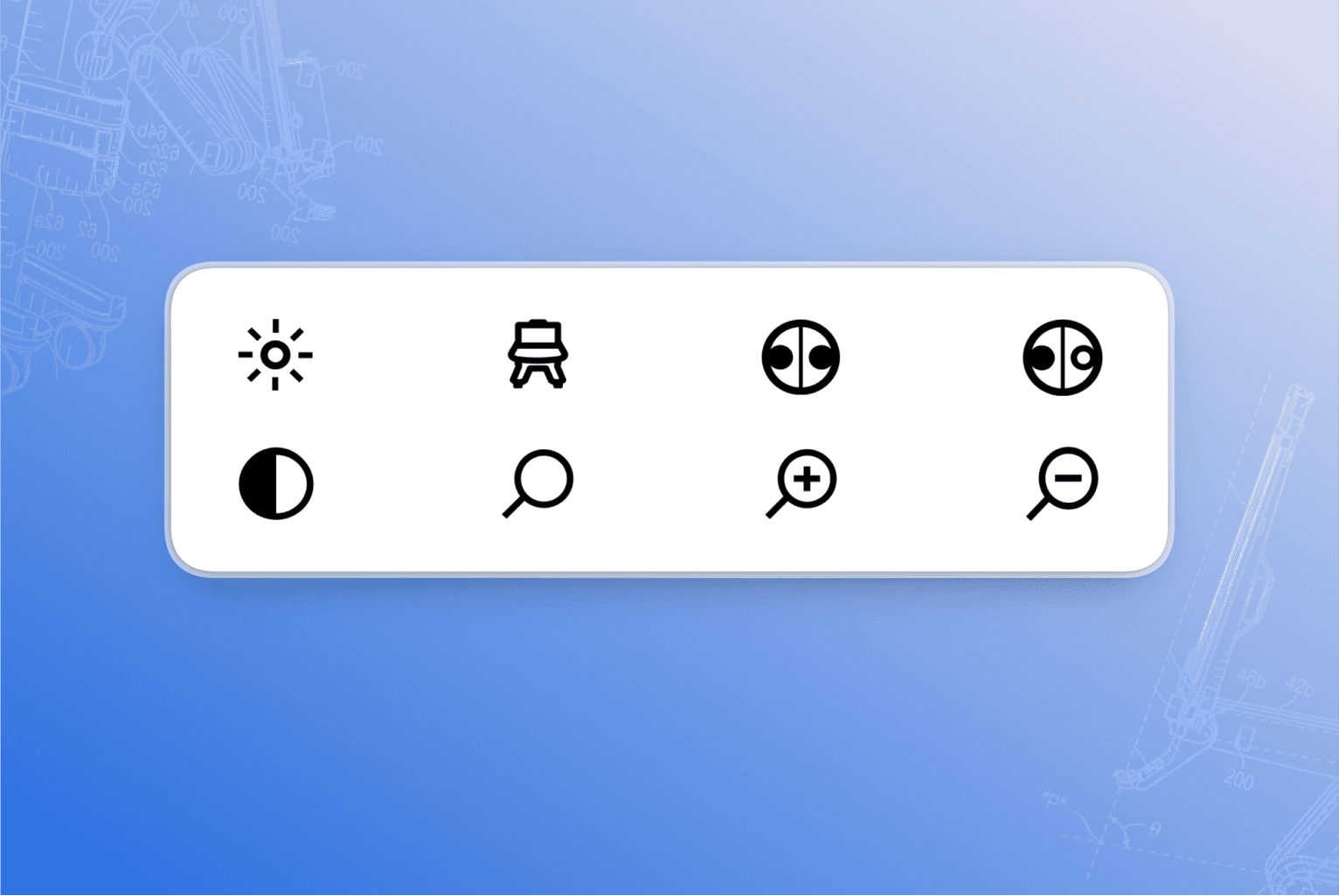
Iconography

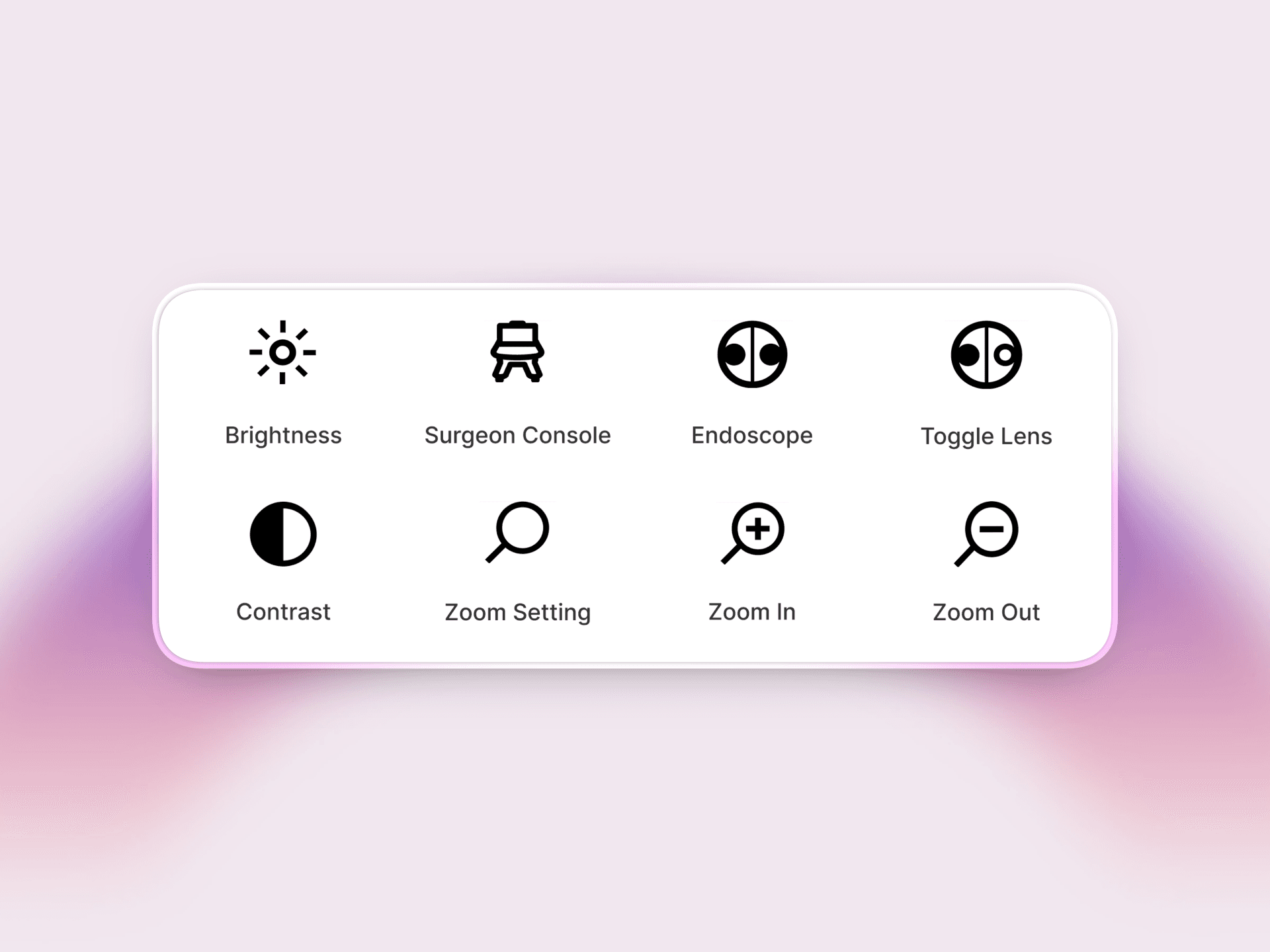
Designed ISO-compliant iconography for use in the RAS tower and surgeon interactive display screens.

All icons are ISO (International Organization for Standardization)-compliant to ensure global legibility.

All icons are ISO (International Organization for Standardization)-compliant to ensure global legibility.

All icons are ISO (International Organization for Standardization)-compliant to ensure global legibility.

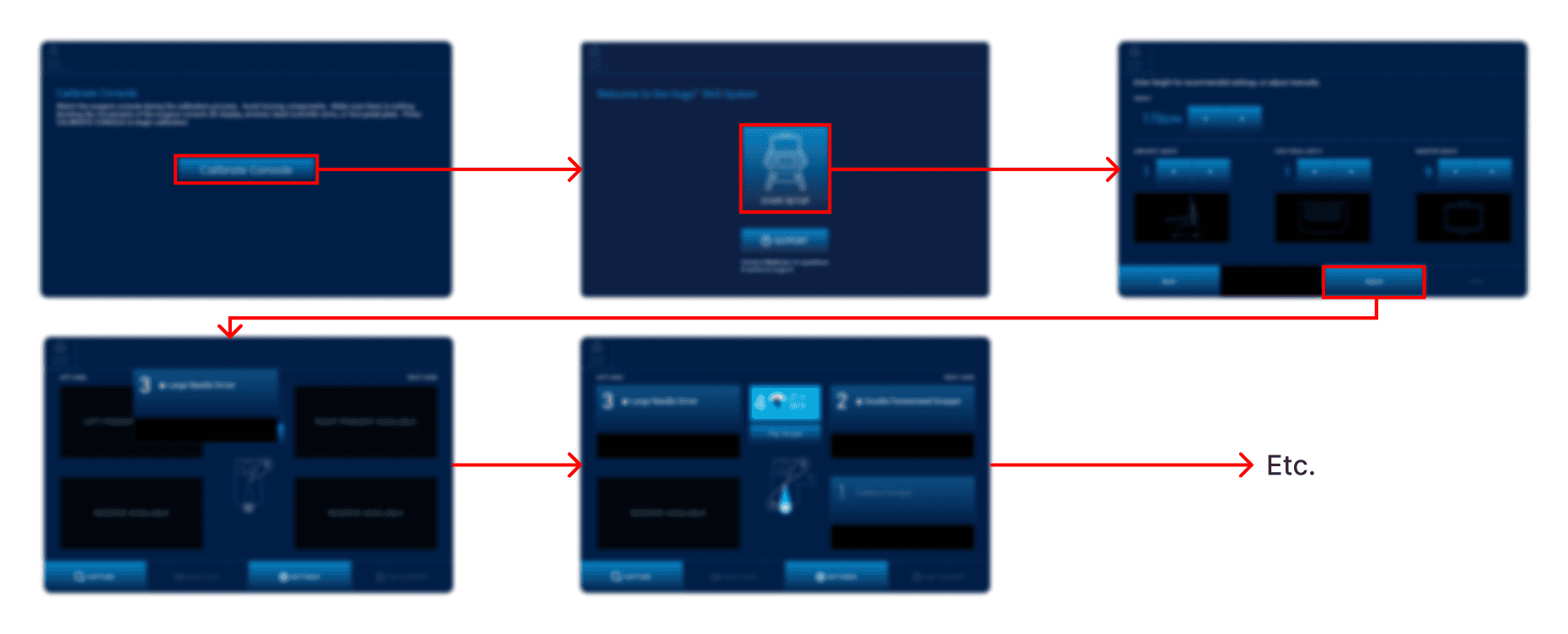
User Flows

Created user flows for all Hugo™ system displays showing each step of the setup process, organized like the below example for the surgeon interactive display.
Contact

If you have any questions, are working on a cool project, or just want to chat, I'd love to meet you!

Contact

If you have any questions, are working on a cool project, or just want to chat, I'd love to meet you!

Contact

If you have any questions, are working on a cool project, or just want to chat, I'd love to meet you!